
Last updated on
Oct 23, 2026

Get the free Pennsylvania Medicare Buy-In Notice
We are not affiliated with any brand or entity on this form

Fill out
Complete the form online in a simple drag-and-drop editor.

eSign
Add your legally binding signature or send the form for signing.

Share
Share the form via a link, letting anyone fill it out from any device.

Export
Download, print, email, or move the form to your cloud storage.
Why pdfFiller is the best tool for your documents and forms


End-to-end document management
From editing and signing to collaboration and tracking, pdfFiller has everything you need to get your documents done quickly and efficiently.
Accessible from anywhere
pdfFiller is fully cloud-based. This means you can edit, sign, and share documents from anywhere using your computer, smartphone, or tablet.
Secure and compliant
pdfFiller lets you securely manage documents following global laws like ESIGN, CCPA, and GDPR. It's also HIPAA and SOC 2 compliant.
What is PA Medicare Notice
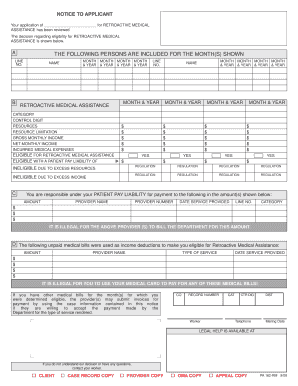
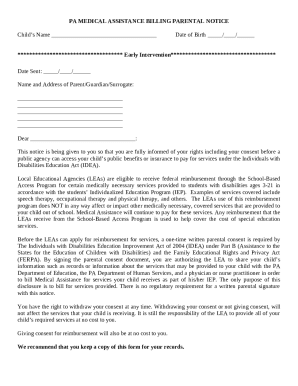
The Pennsylvania Medicare Buy-In Notice is a government document used by residents of Pennsylvania to determine their eligibility for Medicare Part A and/or Part B coverage funded by the commonwealth.
pdfFiller scores top ratings on review platforms




Who needs PA Medicare Notice?
Explore how professionals across industries use pdfFiller.

PA Medicare Notice is needed by:
-
Pennsylvania residents seeking Medicare coverage
-
Individuals applying for Medicare Part A or B
-
Healthcare providers assisting patients with Medicare applications
-
Social workers supporting clients with Medicare transitions
-
Family members managing healthcare for seniors
-
Advocates for clients needing Medicare information
Comprehensive Guide to PA Medicare Notice
What is the Pennsylvania Medicare Buy-In Notice?
The Pennsylvania Medicare Buy-In Notice serves as a vital document for individuals to understand their Medicare eligibility and the benefits associated with it. This notice informs residents about the services they can access under Medicare Part A and B, emphasizing the importance of knowing one's eligibility for state-funded assistance. Key components of the notice include detailed information regarding benefits, potential reimbursements, and instructions for utilizing the PA ACCESS card.
Purpose and Benefits of the Pennsylvania Medicare Buy-In Notice
The primary purpose of the Pennsylvania Medicare Buy-In Notice is to grant beneficiaries access to essential Medicare coverage. Through this notice, individuals gain insight into various benefits that facilitate their healthcare needs. Understanding eligibility opens doors for state-funded assistance, ensuring users can effectively navigate Medicare Part A and B coverage.
Some benefits of the notice include:
-
Access to comprehensive Medicare coverage.
-
Clear guidance on reimbursement options.
-
Support in understanding eligibility for state assistance.
Who Needs the Pennsylvania Medicare Buy-In Notice?
Individuals eligible for Medicare should prioritize the Pennsylvania Medicare Buy-In Notice to ensure they receive appropriate assistance. This notice particularly targets those who meet specific criteria related to age, income, or disability status. Additionally, it is crucial for individuals already receiving PA medical assistance, as it impacts their healthcare options and financial support.
Eligibility Criteria for the Pennsylvania Medicare Buy-In Notice
To qualify for benefits detailed in the Pennsylvania Medicare Buy-In Notice, applicants must meet certain eligibility requirements. These criteria typically include factors such as age, income thresholds, and disability status. It is essential for applicants to verify their eligibility beforehand to avoid complications when completing the notice.
How to Fill Out the Pennsylvania Medicare Buy-In Notice Online (Step-by-Step)
Filling out the Pennsylvania Medicare Buy-In Notice electronically can streamline the process. Follow these steps for an effective submission:
-
Access the online form on the designated platform.
-
Provide your applicant name and address accurately.
-
Enter your Notice ID and Record Number where required.
-
Use the provided space for your client signature.
-
Review all entries to prevent common mistakes.
Submission Methods for the Pennsylvania Medicare Buy-In Notice
Once the Pennsylvania Medicare Buy-In Notice is complete, users have several options for submission. It can be submitted online through the designated portal or physically mailed to the appropriate office. Key deadlines must be observed to avoid late submissions, which can affect the overall process. Users should ensure they know where to direct the document, including any necessary contact details for follow-up inquiries.
Common Errors and How to Avoid Them
Many applicants encounter errors when completing the Pennsylvania Medicare Buy-In Notice. Common mistakes include incorrect personal information and missing required fields. To enhance accuracy:
-
Double-check all entries prior to submission.
-
Utilize tools like pdfFiller to ensure error-free documentation.
-
Familiarize yourself with rejection reasons to improve future applications.
Security and Compliance for the Pennsylvania Medicare Buy-In Notice
When handling sensitive information within the Pennsylvania Medicare Buy-In Notice, security is paramount. pdfFiller implements 256-bit encryption and adheres to compliance regulations to protect user data. Applicants can feel reassured about the safety of their documents throughout the submission process.
How to Check Your Application Status and Next Steps
After submitting your Pennsylvania Medicare Buy-In Notice, there are steps you can take to track your application status. Applicants can anticipate notification regarding their application outcome and must be prepared for possible next steps. If a submission is denied, it is vital to understand the necessary renewal or resubmission process.
Enhancing Your Form Experience with pdfFiller
Utilizing pdfFiller enhances the experience of filling out the Pennsylvania Medicare Buy-In Notice by offering functionalities for editing and eSigning forms. The online platform simplifies the process, making it user-friendly while maintaining security. Leveraging additional features allows users to manage their documents efficiently and securely.
How to fill out the PA Medicare Notice
-
1.Access the Pennsylvania Medicare Buy-In Notice on pdfFiller by entering the website and searching for the form title in the search bar.
-
2.Click on the form link to open it in the pdfFiller editor, where you can view and start editing the document.
-
3.Before completing the form, gather necessary information such as your name, address, Notice ID, and any relevant medical assistance details.
-
4.Use the cursor to navigate through fillable fields. Click on each field to enter information like your name and address, ensuring it is accurate and complete.
-
5.Refer to the instructions provided in the document for fields requiring responses, such as checkboxes for hearing preferences and additional information sections.
-
6.After filling out the required fields, review the entire form for accuracy and completeness to avoid common mistakes, such as missing signatures.
-
7.Once you have confirmed that all fields are correctly filled, save your document on pdfFiller to preserve your changes.
-
8.Download the completed form for your records, or use pdfFiller's submission options to send the form directly to the relevant agency.

Who is eligible for the Pennsylvania Medicare Buy-In Notice?
Residents of Pennsylvania who qualify for Medicare Part A and/or Part B coverage funded by the commonwealth are eligible to fill out the Pennsylvania Medicare Buy-In Notice.
Is there a deadline to submit the Pennsylvania Medicare Buy-In Notice?
While specific deadlines can vary based on individual circumstance, it's best to submit the Pennsylvania Medicare Buy-In Notice as soon as eligibility is established, to avoid interruptions in coverage.
How do I submit the form once completed?
Once you have completed the Pennsylvania Medicare Buy-In Notice, you can submit it either by downloading and mailing it directly to the relevant state agency or using pdfFiller's online submission features if available.
What documents do I need to provide with the form?
You typically need to provide your Medicare details, any financial information if applicable, and identification such as a driver's license or Social Security card when submitting the Pennsylvania Medicare Buy-In Notice.
What are common mistakes to avoid when filling out the form?
Ensure that all sections are fully completed and that signatures are provided where required. Double-check that any medical information is accurate to avoid delays in processing your application.
How long does it take to process the Pennsylvania Medicare Buy-In Notice?
Processing times can vary, but typically, it may take a few weeks to receive notification regarding your eligibility for Medicare once the Pennsylvania Medicare Buy-In Notice has been submitted.
Can I fill out the form digitally?
Yes, the Pennsylvania Medicare Buy-In Notice can be filled out digitally using pdfFiller, which allows you to navigate, edit fields, and save the document easily.
Related Content
Related Forms




Related Catalogs
Get the latest insights from our blog


If you believe that this page should be taken down, please follow our DMCA take down process
here
.
This form may include fields for payment information. Data entered in these fields is not covered by PCI DSS compliance.